Microsoft Entra ID

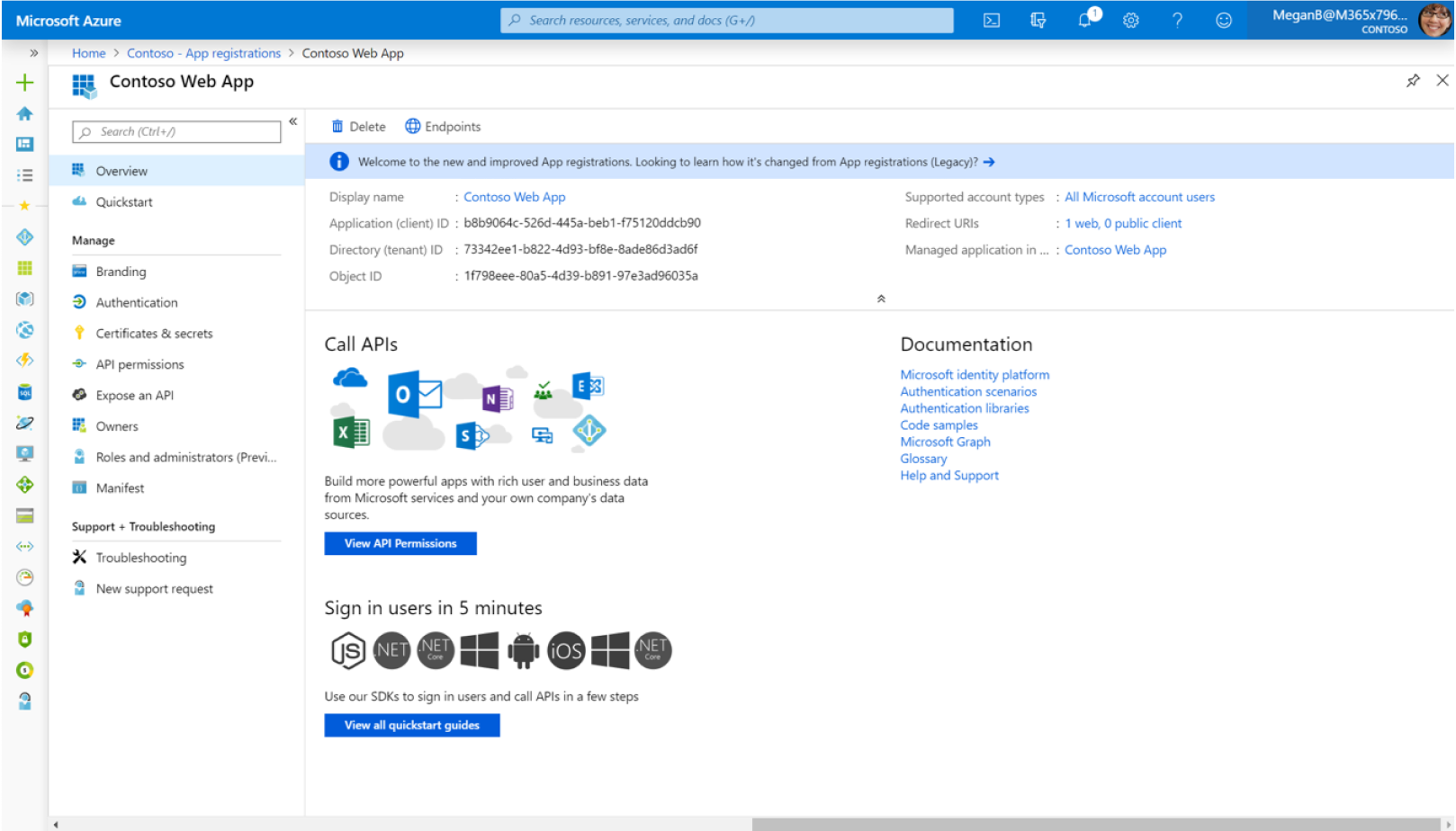
Microsoft Entra ID (formerly Azure Active Directory) is Microsoft’s cloud-based identity and access management platform used to secure access to applications, data, and Microsoft 365 services. It allows organisations to manage user identities, enforce Multi-Factor Authentication (MFA), enable Single Sign-On (SSO), and apply Conditional Access security policies. Microsoft Entra ID helps businesses protect accounts, prevent unauthorised access, and strengthen their overall cybersecurity posture.

Entra ID Questions?

Our Approach:

Complete 360° Care of Your IT.

At Total Solutions IT, we take a proactive, end-to-end approach to managing your technology. Our proven three-stage framework transforms IT from a constant frustration into a reliable, secure, and scalable business asset — supporting what you need today while preparing you for tomorrow.

1. Stabilise

Bringing your IT up to standard

We start by gaining a deep understanding of your business and your existing IT environment. From there, we address gaps, risks, and inefficiencies to create a stable, secure foundation you can rely on.

How we stabilise:

  • Comprehensive IT audit and health check
  • Review of your current systems and workflows
  • Identification of risks and problem areas
  • Clear, prioritised recommendations
  • Development of a practical IT roadmap

2. Optimise

Fine-tuning your operations

Once your IT is stable, we focus on proactive management and continuous improvement. Our team monitors, maintains, and supports your systems to minimise downtime and resolve issues before they impact your business.

How we optimise:

  • 24/7 system monitoring
  • Proactive maintenance and patching
  • Fast response to issues
  • Risk reduction and security management
  • Rapid issue resolution and ongoing support

3. Enhance

Accelerating your growth

With a solid and optimised IT environment in place, we work with you to align technology with your business goals. This stage is about leveraging IT to improve efficiency, support growth, and maximise return on investment.

How we enhance:

  • Alignment of IT with business strategy
  • Technology planning and future-proofing
  • Cost control and budget optimisation
  • Evaluation of new tools and platforms
  • Capacity planning and scalability
  • Regular strategy and review sessions

What is Microsoft Entra ID?

Microsoft Entra ID is Microsoft’s cloud-based identity and access management service that helps organisations securely manage user identities and control access to applications, devices, and business data. It acts as the authentication platform behind many Microsoft services including Microsoft 365, SharePoint, Teams, Exchange Online, and Intune.

Entra ID allows businesses to centralise identity management while enforcing strong security controls such as Multi-Factor Authentication (MFA), Conditional Access policies, and Single Sign-On (SSO). These features help ensure that only authorised users can access corporate systems and information.

Key capabilities of Microsoft Entra ID include:

Single Sign-On (SSO) for accessing multiple applications with one login
Multi-Factor Authentication (MFA) to protect user accounts
Conditional Access policies to control how users access systems
Identity protection and risk detection
Secure access to cloud and on-premises applications

By implementing Microsoft Entra ID, organisations can reduce security risks, simplify user management, and improve overall access control across their IT environment.

Key Features of Microsoft Entra ID

Single Sign-On (SSO)

Single Sign-On (SSO) allows users to securely access multiple business applications using a single set of login credentials. This simplifies the user experience, reduces password fatigue, and improves productivity while maintaining strong authentication and centralised identity management across Microsoft 365 and integrated cloud applications.

Multi-Factor Authentication (MFA)

Multi-Factor Authentication (MFA) adds an additional layer of security by requiring users to verify their identity using a second authentication method. This may include a mobile authentication app, SMS code, or biometric verification, helping prevent unauthorised access even if passwords are compromised.

Conditional Access

Conditional Access allows organisations to enforce intelligent access policies based on user identity, device compliance, location, and risk level. This enables businesses to apply security controls that ensure only authorised users on secure devices can access sensitive applications and business data.

Identity Protection

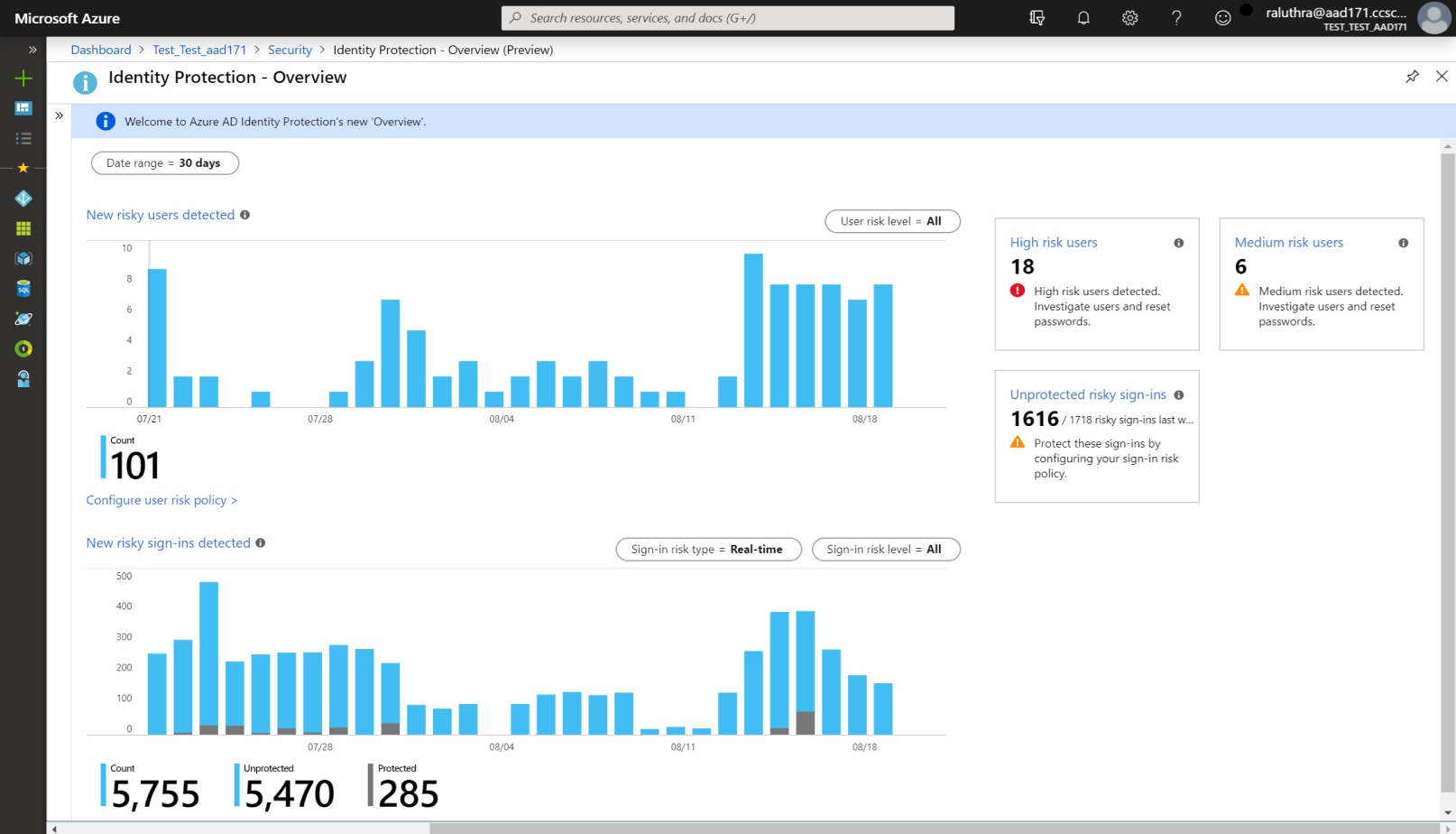
Microsoft Entra ID Identity Protection uses advanced analytics and machine learning to detect suspicious sign-in activity, compromised accounts, and identity risks. It can automatically trigger security actions such as requiring MFA, blocking risky sign-ins, or forcing password resets to protect accounts.

Application Access Management

Microsoft Entra ID provides secure access to thousands of cloud-based and on-premises applications, allowing organisations to control who can access business systems. Administrators can assign permissions, manage application access policies, and ensure users only have access to the systems required for their role.

User and Group Management

Centralised user and group management allows organisations to efficiently manage employee accounts, permissions, and access rights across their IT environment. Administrators can quickly add or remove users, assign roles, and apply security policies to maintain proper access control.

Benefits of Microsoft Entra ID

Implementing Microsoft Entra ID provides organisations with a powerful platform for managing identity, authentication, and secure access to business systems. As businesses increasingly rely on cloud services such as Microsoft 365, SharePoint, Teams, and business applications, identity security has become one of the most critical areas of cybersecurity.

Microsoft Entra ID helps businesses protect user accounts, simplify access management, and strengthen overall security by centralising identity control within a single platform.

Key benefits include:

Stronger Identity Security

Microsoft Entra ID helps protect user accounts by enforcing Multi-Factor Authentication (MFA), Conditional Access policies, and identity protection monitoring. These security features reduce the risk of unauthorised access, phishing attacks, and compromised credentials.

Simplified User Access

With Single Sign-On (SSO), users can securely access multiple business applications with one login. This improves productivity while reducing password fatigue and the number of login credentials employees need to manage.

Centralised Identity Management

Administrators can manage users, groups, permissions, and access policies from a single platform. This simplifies onboarding, offboarding, and access management across Microsoft 365 and other integrated business applications.

Improved Cybersecurity Posture

By implementing modern identity security controls, organisations can reduce exposure to identity-based cyber threats, which are one of the most common attack methods used by hackers today.

Secure Access from Anywhere

Microsoft Entra ID enables secure access to applications and data from any device or location, while still enforcing security policies such as device compliance checks and location-based access restrictions.

Integration with Microsoft Security Tools

Microsoft Entra ID integrates with other security platforms such as Microsoft Intune, Microsoft Defender, and Conditional Access, creating a comprehensive identity and endpoint security ecosystem.

Entra ID Frequently Asked Questions

Microsoft Entra ID is used for identity and access management, allowing organisations to securely control who can access systems, applications, and data.

Yes. Microsoft Entra ID is the new name for Azure Active Directory, part of Microsoft’s Entra identity and access management platform.

Yes. Microsoft 365 includes Entra ID as the identity platform used to authenticate users and manage access to services like Teams, Exchange, and SharePoint.

Contact Us

AZURE ACTIVE DIRECTORY

Protect your business with a universal identity platform

The Azure Active Directory (Azure AD) enterprise identity service provides single sign-on and multi-factor authentication to help protect your users from 99.9 percent of cybersecurity attacks.

Single sign-on simplifies access to your apps from anywhere

Conditional Access and multi-factor authentication help protect and govern access

A single identity platform lets you engage with internal and external users more securely

Developer tools make it easy to integrate identity into your apps and services

Connect your workforce

Whether people are on-site or remote, give them seamless access to all their apps so they can stay productive from anywhere. Automate workflows for user lifecycle and provisioning. Save time and resources with self-service management.
Choose from thousands of SaaS apps

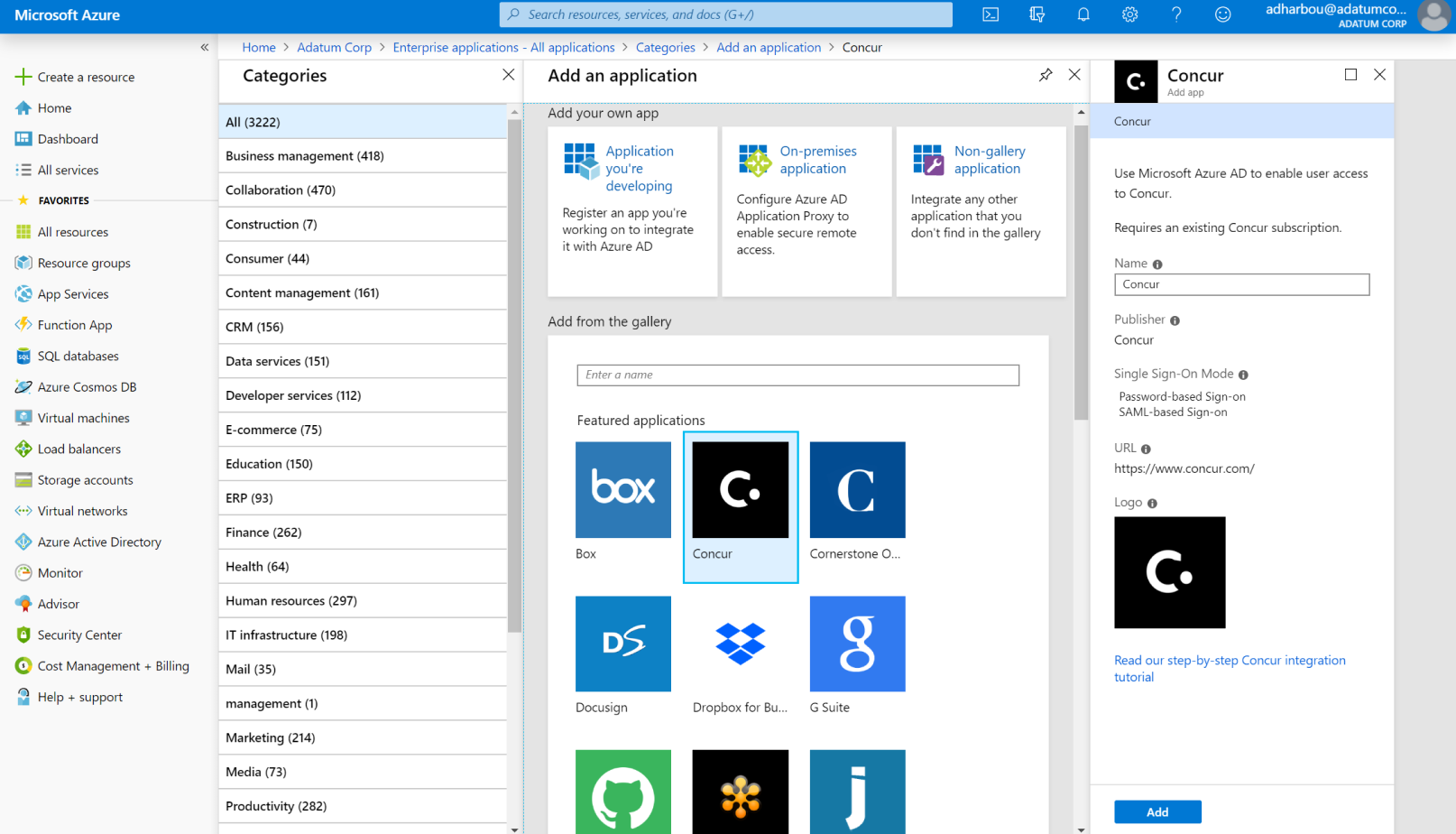
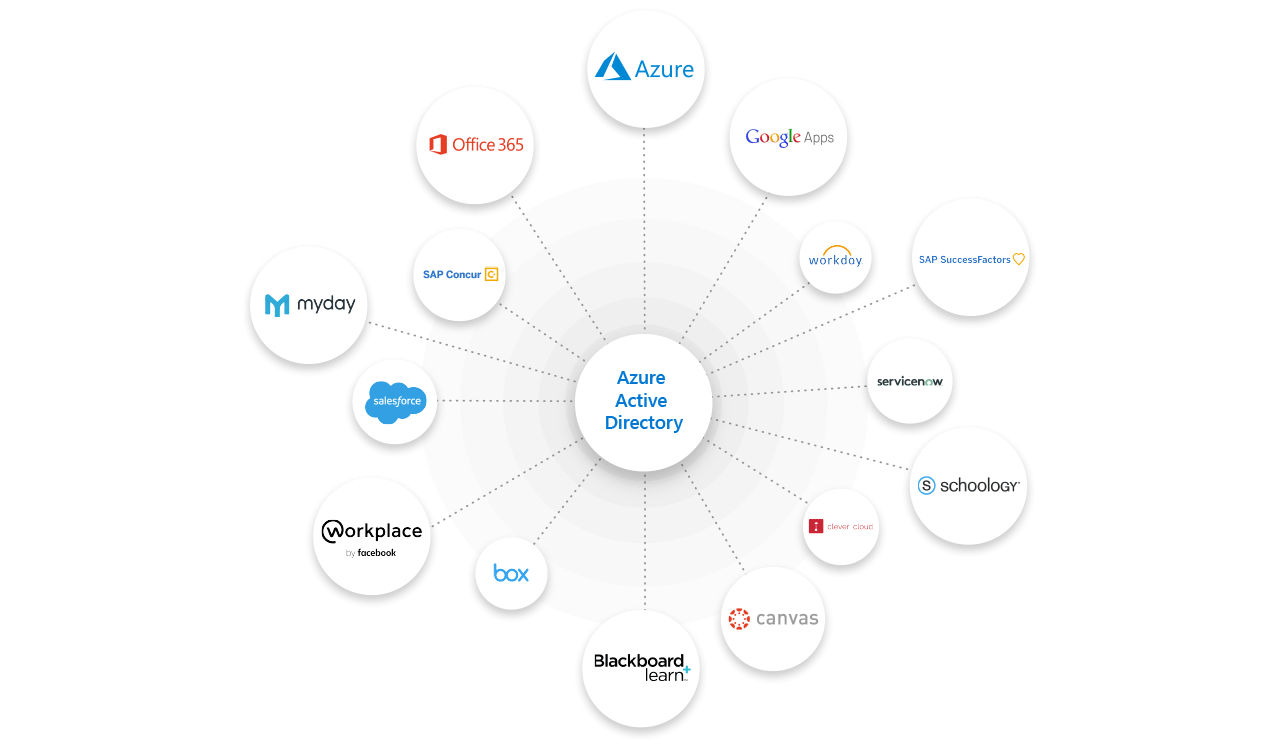
Simplify single sign-on. Azure AD supports more than 2,800 pre-integrated software as a service (SaaS) applications.

Protect and govern access

Safeguard user credentials by enforcing strong authentication and conditional access policies. Efficiently manage your identities by ensuring that the right people have the right access to the right resources.

Engage with your customers and partners

Secure and manage customers and partners beyond your organizational boundaries, with one identity solution. Customize user journeys and simplify authentication with social identity and more.

Integrate identity into your apps

Accelerate adoption of your application in the enterprise by supporting single sign-on and user provisioning. Reduce sign-in friction and automate the creation, removal, and maintenance of user accounts.